
A camera can tell you what happened around the chicken coop when you weren’t there. You may see a raccoon around the run, checking to see if the automatic door closed or which hen is sleeping in the nest box.
You don’t need a pricey security system for that. Begin with the place you want to see.” You can then opt to have it record all night or just record a short clip when motion is detected.
Here are nine cameras to compare for your backyard coop. Some require a power cord. Others charge with solar or batteries. I have also added one indoor camera for a dry sheltered coop.
One thing to remember: A camera helps you see a problem. It will not stop a predator. Your coop still needs strong wire, secure latches, and a safe night shelter.
Quick Comparison of the 9 Chicken Coop Cameras
| Camera | Power / Video | Good Place to Use It | Amazon |
|---|---|---|---|
| 1. Tapo C120 | Wired, 2K | Coop door or run | Check |
| 2. Wyze Cam v4 | Wired, 2.5K | Budget 24-hour recording | Check |
| 3. eufy SoloCam S340 | Battery with solar charging | A larger backyard | Check |
| 4. Reolink Argus Eco, 2-Pack | Battery, optional solar | Two outdoor views | Check |
| 5. Blink Outdoor 4, 4-Camera System | Battery | Several locations | Check |
| 6. Google Nest Cam Outdoor (2nd Gen) | Wired, 2K | Google Home users | Check |
| 7. Ring Spotlight Cam Plus | Battery | Path or outside fence | Check |
| 8. ieGeek Outdoor Cameras, 2-Pack | Battery, 2K | Two basic outdoor angles | Check |
| 9. Reolink E1 Indoor Camera | Wired, pan and tilt | Dry coop interior | Check |
Check the exact Amazon listing before ordering. A solar panel, memory card, storage hub, or extra battery may be sold separately.
9 Best Chicken Coop Cameras
1. TP-Link Tapo C120: Easy Camera for the Coop Door

As an Amazon Associate I earn from qualifying purchases. This article contains affiliate links. If you buy through these links, I may earn a commission at no extra cost to you.
If you can get power to the coop, the Tapo C120 is a simple way to watch the main door. Its 2K video gives you a clear view of the latch, the ground below it, and anything passing close to the entrance.
It supports a microSD card, so you can record locally without depending on a paid cloud plan for basic footage. You can also set it to record continuously. That is useful when a short motion clip misses the start of an incident.
At night, use its infrared view and turn off the bright visible lights near sleeping chickens. The camera body is weather-rated, but its power connection still needs protection from rain.
Keep in mind: You need an outlet and a separate memory card. Check the Tapo C120 on Amazon.
Pros:
- Clear 2K video and continuous local recording with a microSD card.
- Useful infrared night view without keeping bright lights on.
- Outdoor-rated camera body.
Cons:
- Needs a constant power supply.
- Memory card and a weather-protected power connection are separate considerations.
2. Wyze Cam v4: Clear Video Without Spending Much

As an Amazon Associate I earn from qualifying purchases. This article contains affiliate links. If you buy through these links, I may earn a commission at no extra cost to you.
The Wyze Cam v4 is another good choice when your coop has power. It records in 2.5K and gives you a useful picture of the run, feeder area, or gate.
Add a compatible microSD card if you want continuous local recording. You can then scroll back to a specific time instead of relying only on motion notifications. That is especially handy if you find signs of a visitor the next morning.
It is compact and suitable for outdoor use, but the power adapter and cable must stay protected. Mount the cord where chickens cannot reach it.
Some extra alerts and cloud features need a Wyze subscription. If you only need a basic camera with local recording, check those options before paying for a plan. See Wyze Cam v4 on Amazon.
Pros:
- Sharp 2.5K video for a modest camera budget.
- Continuous local recording with a compatible microSD card.
- Small body is easy to aim at a coop door or run.
Cons:
- Needs power and protected cable routing.
- Some extra cloud and smart-alert features require a subscription.
3. eufy SoloCam S340: For a Coop Away From an Outlet

As an Amazon Associate I earn from qualifying purchases. This article contains affiliate links. If you buy through these links, I may earn a commission at no extra cost to you.
Have a coop at the far end of the yard? The SoloCam S340 uses a rechargeable battery and a solar panel, so you do not need to run a power cable all the way there.
It has two lenses and can turn to look across a wider area. You could watch the run entrance and check the feed shed from the same mounting point. Footage is saved to its built-in local storage.
The solar panel needs direct sun. A shady roof, cloudy winter days, or lots of motion events can leave you charging the battery by hand.
This is mainly a motion-recording camera, not the one to buy for uninterrupted video all night. It also needs Wi-Fi for remote viewing. View the SoloCam S340 on Amazon.
Pros:
- Solar-assisted charging helps when the coop has no outlet.
- Two lenses and pan-and-tilt coverage show more of the yard.
- Built-in local storage for event clips.
Cons:
- Solar charging depends on direct sunlight.
- Motion-event recording does not replace full-night continuous footage.
4. Reolink Argus Eco, 2-Pack: Watch Two Sides of the Coop
As an Amazon Associate I earn from qualifying purchases. This article contains affiliate links. If you buy through these links, I may earn a commission at no extra cost to you.
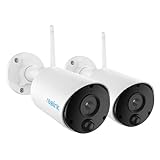
One camera cannot always cover the pop door and the back fence. With this Reolink pack, you can put a camera at each spot.
The Argus Eco cameras use rechargeable batteries and can save motion clips to compatible microSD cards. You can add supported solar charging, but check whether panels are included with the pack you select.
Video is 2MP, so it is not as sharp as newer high-resolution options. Still, two clear views of the right places may tell you more than one camera facing the wrong direction.
You will need to charge the batteries, and you should not expect continuous recording. Check the Reolink two-pack.
Pros:
- Two cameras let you watch separate sides of the coop.
- Battery power makes mounting easier.
- Supports local motion clips and compatible solar charging.
Cons:
- Older 2MP video is less detailed than newer models.
- Batteries need attention, and solar panels may be sold separately.
5. Blink Outdoor 4: Four Cameras for the Whole Coop Area

As an Amazon Associate I earn from qualifying purchases. This article contains affiliate links. If you buy through these links, I may earn a commission at no extra cost to you.
If you have a run, feed shed, coop door, and backyard path to watch, this four-camera Blink system gives you a separate view of each one.
The cameras run on AA batteries and record 1080p motion clips. Blink advertises long battery life under typical use, but frequent motion and live viewing can shorten it. A busy chicken run will trigger more often than a quiet driveway.
You can use a compatible Sync Module 2 with a USB drive for local clip storage. Check which module comes with your bundle, since saved cloud history and some added features use a subscription.
This is useful when you want several simple views. For one small coop, four cameras may be more than you need. See the Blink Outdoor 4 bundle.
Pros:
- Four cameras can cover the pop door, run, path, and feed shed.
- No power cable needed at each camera.
- A compatible hub and USB drive can support local clip storage.
Cons:
- Motion clips can leave gaps in the overnight footage.
- Frequent triggers shorten battery life; check the hub and plan included.
6. Google Nest Cam Outdoor (2nd Gen): For Google Home Users

As an Amazon Associate I earn from qualifying purchases. This article contains affiliate links. If you buy through these links, I may earn a commission at no extra cost to you.
Already have Google Home cameras around your house? The newer wired Nest Cam lets you check the coop entrance in the same app.
You get sharp 2K video, night vision, and a wide view that works well for a gate or the front of a run. Because it is wired, you do not have to recharge it.
Think about storage before buying. Google’s free event previews are limited. Longer saved history and continuous video history require the appropriate paid plan. You will also need a safe power connection and steady Wi-Fi.
It is a neat choice for an existing Google setup, but less appealing if you want to avoid subscription costs. Check Nest Cam Outdoor on Amazon.
Pros:
- Clear 2K video and a wide view of the coop entrance.
- Fits neatly into an existing Google Home setup.
- Wired power means no battery charging.
Cons:
- Needs a suitable power connection.
- Longer saved history and continuous recording need the right paid plan.
7. Ring Spotlight Cam Plus: Watch the Path to the Coop

As an Amazon Associate I earn from qualifying purchases. This article contains affiliate links. If you buy through these links, I may earn a commission at no extra cost to you.
A camera with a spotlight can help you see something approaching from the yard. Ring Spotlight Cam Plus gives you battery power, motion alerts, and two-way talk.
I would mount it outside the chicken area, aimed along the path or fence. Do not point the spotlight through the coop window. Repeated flashes are the last thing your roosting hens need.
You can check live video through the Ring app. If you want to save and replay events later, you will need a compatible Ring subscription.
This camera suits you better if you already use Ring at home and want another outdoor view. View Ring Spotlight Cam Plus.
Pros:
- Battery-powered mounting for a path or outer fence.
- Spotlight, motion alerts, and two-way talk.
- Convenient if you already use Ring.
Cons:
- Saved video replay requires a compatible subscription.
- The spotlight can disturb roosting birds if aimed toward the coop.
8. ieGeek Outdoor Cameras, 2-Pack: Two Wireless Views
As an Amazon Associate I earn from qualifying purchases. This article contains affiliate links. If you buy through these links, I may earn a commission at no extra cost to you.
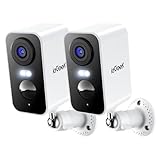
The ieGeek pack is a simple way to cover two outdoor spots without running a power cable to each camera. One could face the run door while the other watches the back of the coop.
These are rechargeable 2K cameras with motion alerts, night vision, and built-in siren and spotlight features. For chicken use, aim the lights away from the sleeping area and keep unnecessary sound alerts off.
As with most battery cameras, recording is based on motion. Check the exact storage and subscription details on the selected listing before buying.
They make more sense for general outdoor checks than for recording every minute of the night. Check the ieGeek two-pack.
Pros:
- Two rechargeable outdoor cameras cover different angles.
- 2K video, night view, and motion alerts.
- No power cable needed at each mounting spot.
Cons:
- Primarily motion-based recording, not 24/7 video.
- Battery life and some storage or alert features depend on settings and plan.
9. Reolink E1: Watch the Inside of a Dry Coop

As an Amazon Associate I earn from qualifying purchases. This article contains affiliate links. If you buy through these links, I may earn a commission at no extra cost to you.
Want to see which hen is using the nest box or whether everybody made it onto the roost? The Reolink E1 is an indoor camera that can turn left and right, so you can adjust the view from your phone.
It plugs into power and supports local microSD recording. Mount it high enough that chickens cannot peck the camera or pull at its cable.
This model is not weatherproof. Only put it in a reliably dry, sheltered area. Dust, condensation, dripping roofs, and wet bedding are reasons to choose an outdoor-rated model instead.
Use infrared night vision and avoid bright white lights around the roost. See the Reolink E1 on Amazon.
Pros:
- Pan-and-tilt view helps you check roosts or nest boxes.
- Supports local microSD recording.
- Infrared night view without bright white lighting.
Cons:
- Indoor-only model; it must stay dry and sheltered.
- Needs power and a cable kept away from curious chickens.
How to Choose a Camera for Your Coop
Before you compare features, ask yourself what you want to see. Is it the pop door, a suspected predator’s route, or the nest boxes? That answer makes the choice much easier.
- Full-night recording: Choose a plug-in camera with suitable local storage. Battery cameras usually save motion clips instead of every minute.
- No outlet nearby: Consider a battery camera. Solar charging helps if the panel gets enough sun.
- Dark yard: Choose good infrared night vision. You do not need to keep a bright white light shining on sleeping chickens.
- Weak Wi-Fi: Test the signal at the exact mounting spot before buying. Solar power will not fix a poor connection.
- No monthly fee: Look for usable microSD or built-in local storage, and check which features are actually included without a plan.
- Wet or dusty spot: Use an appropriately weather-rated outdoor camera, and protect its plugs and connections.
Where Should You Mount the Camera?
I’ll start at the coop entrance. Mount your camera so it captures the entire pop door, the latch and the ground right in front. The view there is clear, and can let you know if the door closed, and what came near it.
If you have a second camera, aim it at the run gate or fence line. Locate the interior in a dry spot with a clear view of the roost or nest boxes. Keep all cables and mounts away from birds.
Also check the view when it’s dark. A bright roof, a wire or a window nearby can reflect the infrared light and spoil an otherwise useful picture.
A camera works alongside good coop security, not instead of it. See our guides to chicken predators and predator-proofing your coop if you are worried about nighttime visitors.
Three Things to Check Before Your First Night
- Open the live feed from your phone while standing at the mounting spot. Confirm that Wi-Fi reaches the camera.
- Check whether recordings really save to the card, hub, or cloud account you plan to use. Do not rely on an active free trial.
- Walk past the coop door after dark to test the view and motion alerts. Turn off any bright light or siren that could disturb your birds.
If the coop has no nearby power, our solar-powered coop guide can help you think through the setup. If you want to add lights, keep those separate from camera night vision and read our coop lighting guide.
FAQs About Chicken Coop Cameras
Do I need Wi-Fi for a chicken coop camera?
Most app-connected cameras need Wi-Fi for setup, live viewing, and phone alerts. Some can save local footage during an internet outage, depending on the model.
Can a solar camera work all night?
Yes, if its battery has enough charge. The panel charges the battery during the day; it does not power the camera directly all night. Shade and poor weather can reduce charging.
Should I buy a wired or battery camera?
Choose wired if you need continuous recording and have safe power nearby. A battery camera is easier to mount farther away but usually records motion events.
Can a camera record without a monthly subscription?
Yes. Several models support a microSD card or built-in local storage. Check the exact storage requirements and whether premium alerts cost extra.
Will a chicken coop camera catch raccoons or foxes?
It may record an animal that enters the camera’s view, but motion detection can miss events. Place the camera near a likely entry route and never rely on it as predator protection.
Can I put an indoor camera inside my coop?
Only in a reliably dry, sheltered area. Protect it from dust, moisture, pecking, and loose cables. Use an outdoor-rated model if the location is exposed.
Should the camera spotlight stay on at night?
Avoid bright visible light around sleeping chickens. Use suitable infrared night vision and aim outdoor spotlights away from the roosting area.
